← Back to blog
How to Give Your AI Agent YouTube Video Context With the Recapfy MCP Server
November 21, 2026 · 4 min read
Your AI agent can’t watch a YouTube video. The Recapfy MCP server gives it two tools that can: ask, which answers a question about a video, and get_transcript, which returns the full timestamped transcript. You pay per call in USDC on Solana through the x402 protocol. There’s no Recapfy account, no API key and no subscription.
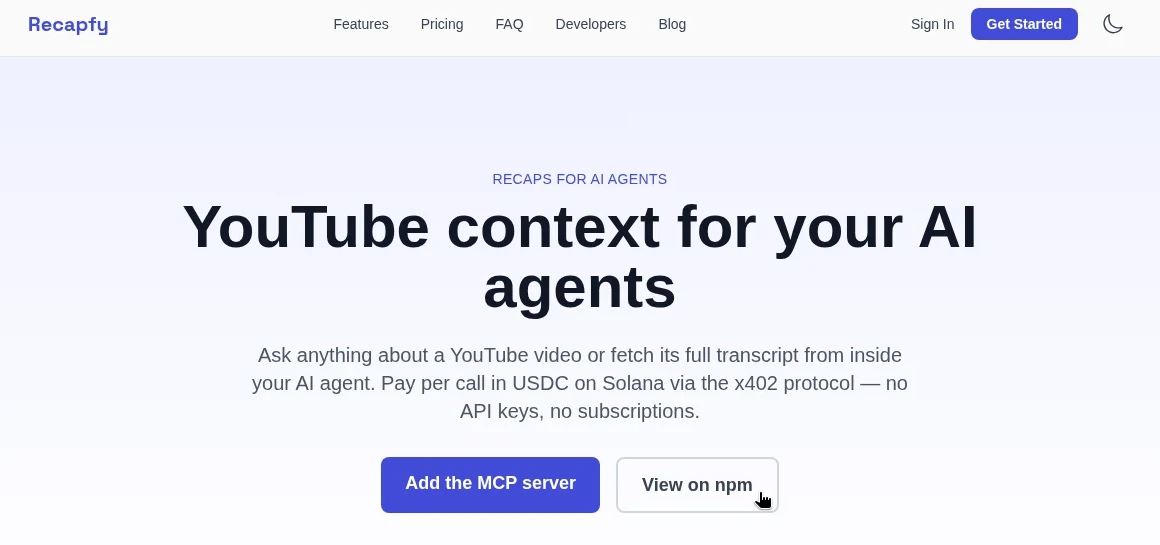
This guide takes you from nothing to a first working call. It works in Claude Desktop, Cursor, Cline, Windsurf, VS Code and any other MCP client that can launch a local server.
Step 1: Fund a dedicated Solana wallet with USDC
Create a Solana wallet in an app such as Phantom or Jupiter Wallet, and fund it with a little USDC on mainnet. You need the wallet’s secret key in base58 form (Phantom’s Export Private Key gives you that, and so does solana-keygen). You don’t need any SOL: the network fee is covered for you.
Important: The key signs real payments. Use a dedicated wallet with a small balance, never share the key, and never commit it to a repository.
You also need Node.js 20 or newer. Nothing else to install: your MCP client runs the server with npx.
Step 2: Add the server to your MCP client
This works in Claude Desktop, Cursor, Cline, Windsurf, VS Code and any other MCP client that can launch a local server. Paste this snippet into your MCP client’s settings, replacing the placeholder with your key, or simply ask your AI agent to install the Recapfy MCP server for you:
{
  "mcpServers": {
    "recapfy": {
      "command": "npx",
      "args": ["-y", "recapfy-mcp@latest"],
      "env": {
        "SVM_PRIVATE_KEY": "<your base58 Solana secret key>"
      }
    }
  }
}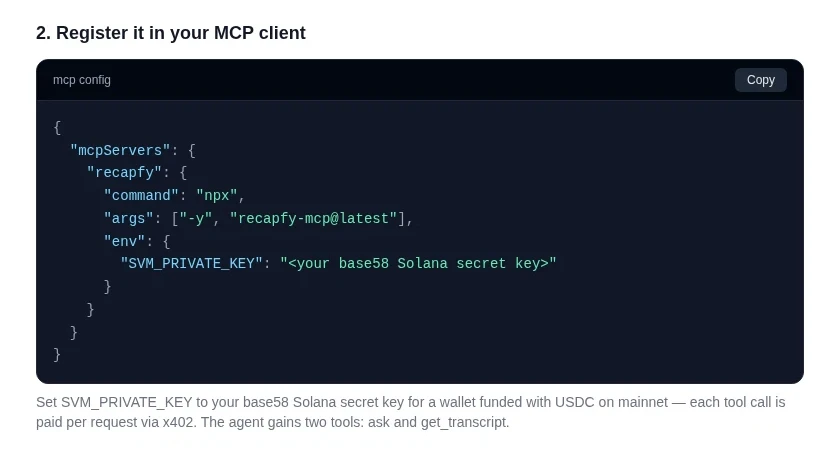
Keep @latest in the args so you always get the newest version, and restart the client fully after adding the server.
Step 3: Check that the two tools show up
Restart your client and look for the tools: ask and get_transcript. The screenshots below use the MCP Inspector, a free tool for trying out MCP servers, so the steps look the same whichever client you use.
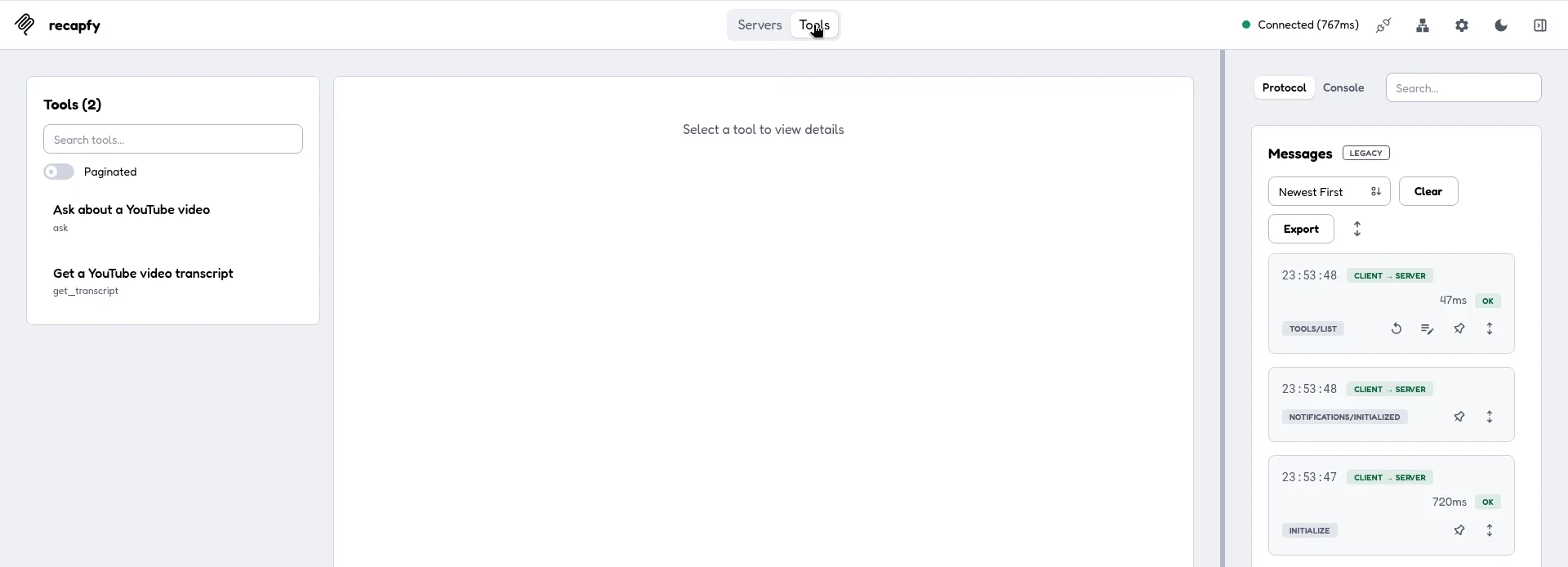
Listing the tools is free. You only pay when a tool is actually called.
Step 4: Ask a question about a video
Ask your agent something like “Using Recapfy, what is the main argument of this video? https://www.youtube.com/watch?v=0AGXzdZNwq0”. Or call the ask tool yourself with three inputs:
•
videoUrl: the YouTube video.
•
prompt: your question.
•
maxOutputTokens: the longest answer you’ll accept (default 1024).
In the Inspector we asked “In 5 short bullets, what is the main argument of this video?” about a Benjamin Cowen video, and the answer came back as five bullets of plain text.
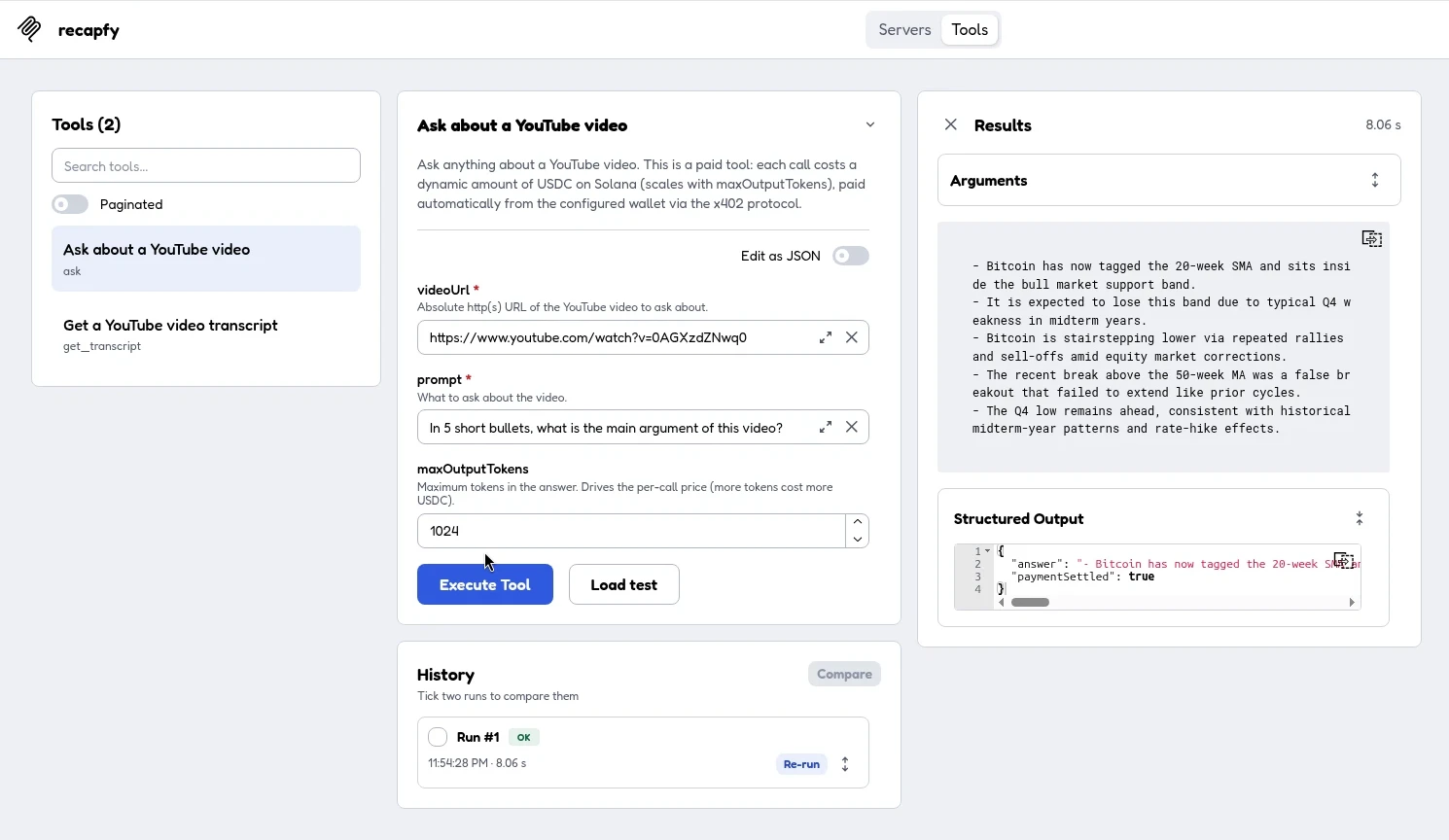
ask costs roughly half a cent to about a cent per question, depending on video length. A longer answer limit costs a little more.
Step 5: Pull the full transcript
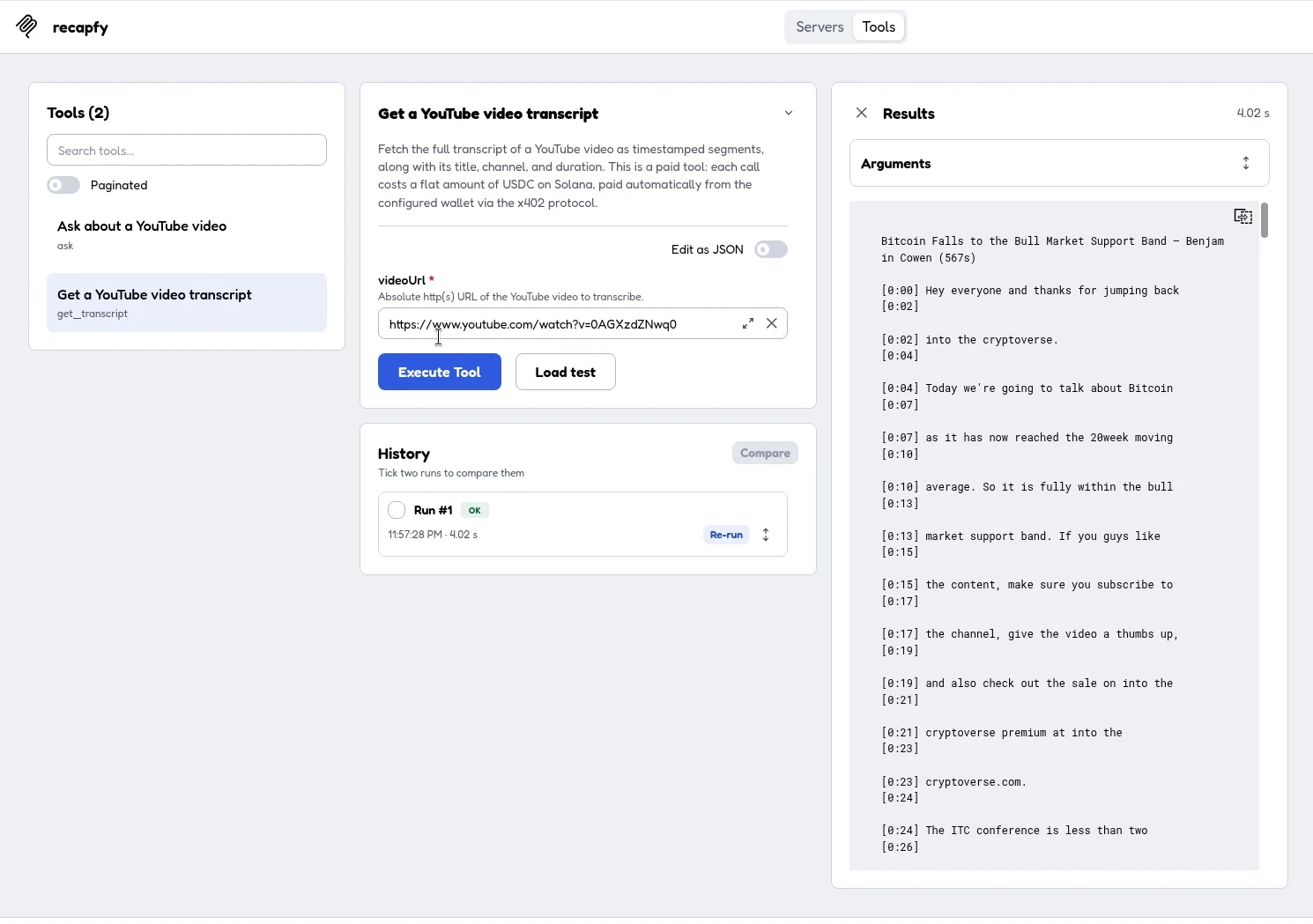
get_transcript takes just a videoUrl and returns the video’s title, channel, duration and the whole transcript, with a timestamp on every line. That’s handy for RAG, for your own summarizer, or for quoting exact moments. It costs a flat $0.01 per call.
Step 6: See what you paid
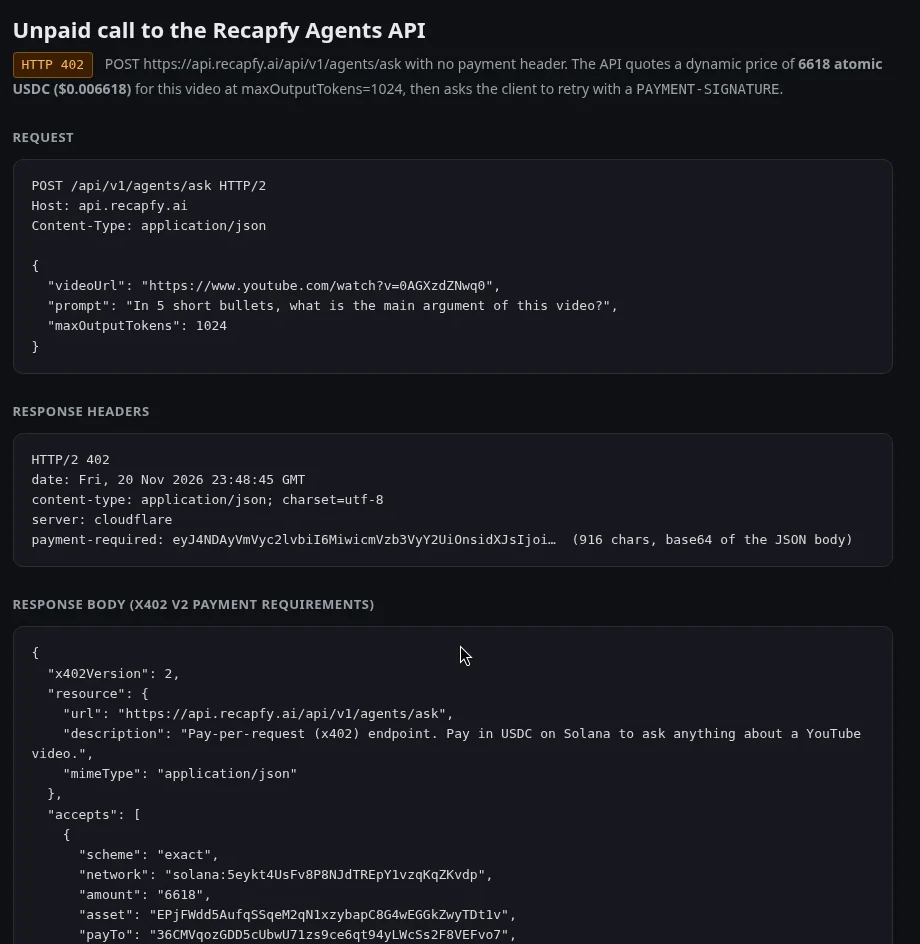
Under the hood, x402 is simple. Your agent sends the request, and the API replies with HTTP 402 Payment Required and the price. Your wallet signs a USDC payment, the call is sent again with the signature, and you get the result. The server does all of this for you, and your key stays on your machine.
Here is that first reply to an unpaid ask request: a 402 with the price, 6618 in USDC’s smallest unit, which is $0.006618.
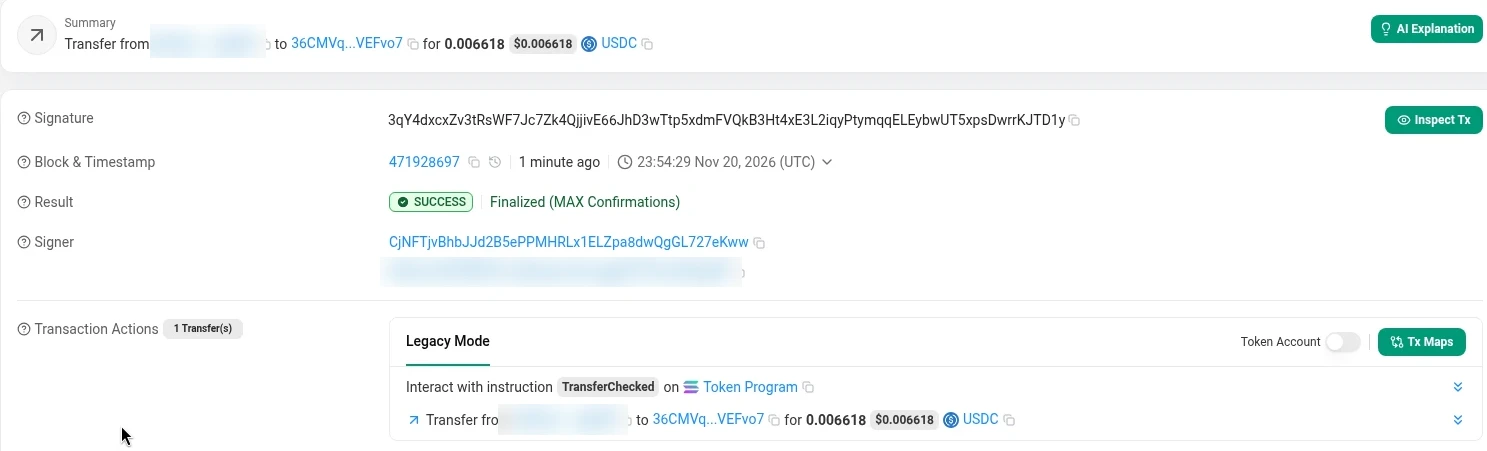
Every call is an ordinary on-chain USDC transfer. On Solscan you can paste your wallet address to check your USDC balance and see each payment. Our ask call paid 0.006618 USDC:
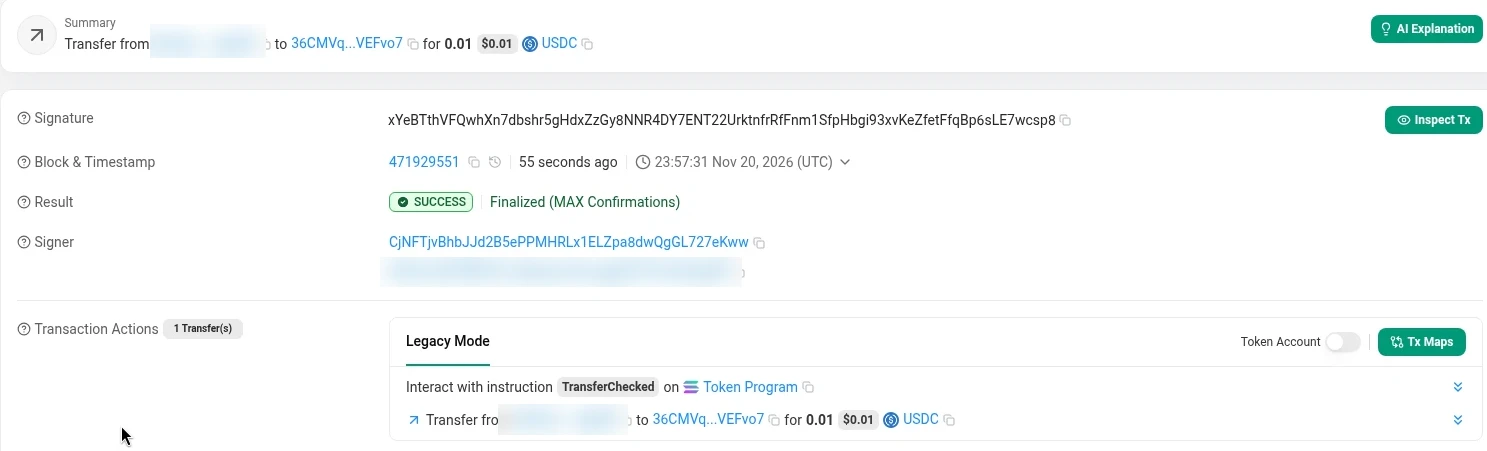
and the get_transcript call paid exactly $0.01:
Prefer plain HTTP?
The same two tools are available as POST endpoints at api.recapfy.ai, for any x402 client. See recapfy.ai/developers for the overview and api.recapfy.ai/llms.txt for a machine-readable summary. The server’s source is on GitHub.
Recapfy
AI-powered YouTube video summaries that save you hours of watching time.
© 2026 Recapfy. All rights reserved.