← Back to blog
How to Get YouTube Video Summaries in Your Inbox
November 18, 2026 · 2 min read
New two-hour podcasts from your favorite finance, crypto or AI channels drop every few days, and you rarely need all of it. Recapfy can email you a short recap of every new video instead. This guide gets that working in a few minutes.
Email recaps need a paid plan (Starter or Expert). If you don’t have a Recapfy account yet, sign up free first.
Step 1: Choose a paid plan
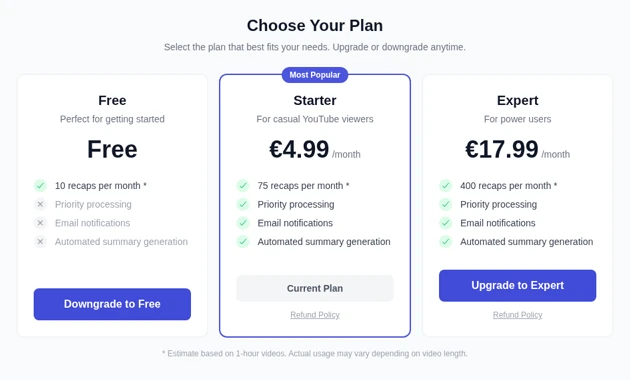
Open the Profile tab and tap Change Plan on your plan card. On Choose Your Plan, pick Starter or Expert. Both include email notifications and automatic recaps.
•
Starter, €4.99/month: about 75 recaps a month.
•
Expert, €17.99/month: about 400 recaps a month.
Counts are estimates based on 1-hour videos; shorter videos use less.
Step 2: Turn on email notifications
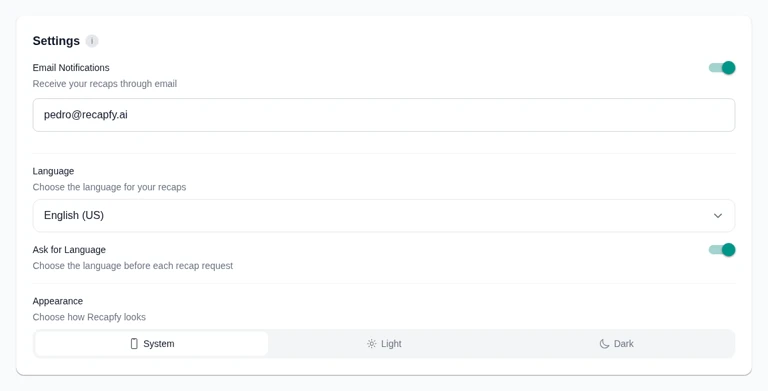
Email isn’t on by default. On the Profile tab, under Settings, turn on Email Notifications (“Receive your recaps through email”) and check that the address below it is the one you want.
Step 3: Subscribe to channels
1.
On the Channels tab, tap Connect YouTube Account if you haven’t yet, then Authorize. This lets Recapfy show the channels you already follow.
2.
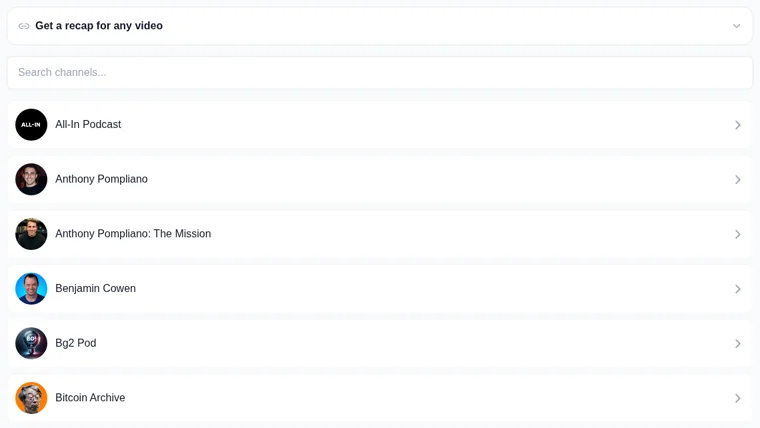
Find a channel (the Search channels… field helps) and open it.
3.
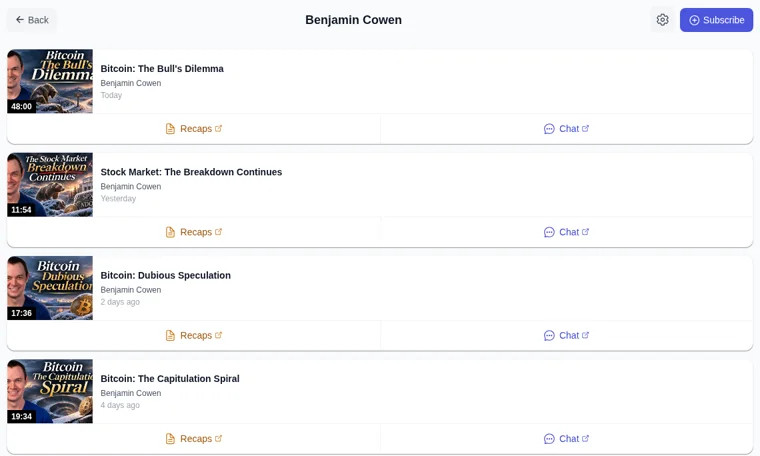
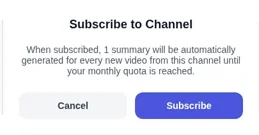
Tap Subscribe and confirm. From now on, every new video from that channel is recapped automatically until your monthly quota is reached.
4.
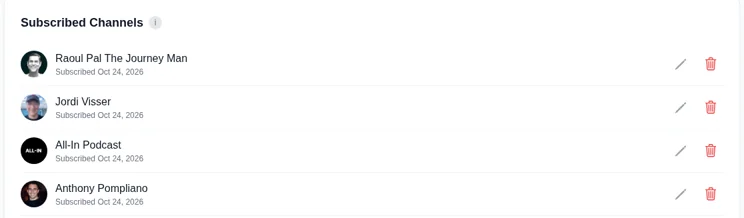
To see every channel you’re subscribed to, open the Profile tab and scroll to Subscribed Channels. Each one shows the date you subscribed, and you can remove any you no longer want from there.
Start with the 3 to 6 channels you most often fall behind on.
Step 4: Test it with a manual recap
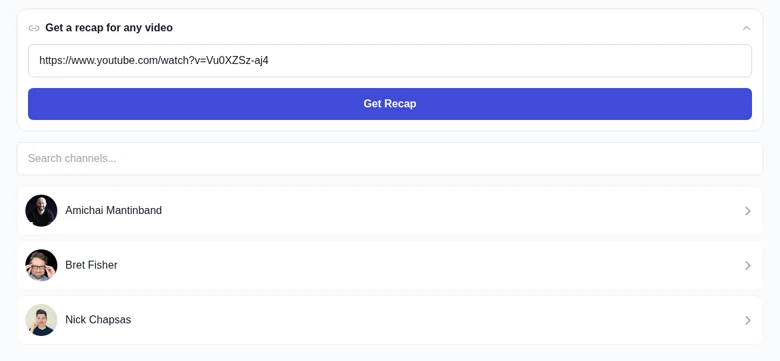
You don’t have to wait for a channel to post. On the Channels tab, open Get a recap for any video, paste any YouTube link and tap Get Recap, then check your inbox. If the recap arrives, you’re set: new videos from your subscribed channels will show up the same way.
Not there? Check your spam folder, and make sure Email Notifications is on in Profile.
Tip: give your recaps their own folder
Create a folder or label such as “Recaps” in your email and add a filter that moves mail from Recapfy there. Your inbox stays clean, and your recaps are all in one place to read when you have a few minutes.
Recapfy
AI-powered YouTube video summaries that save you hours of watching time.
© 2026 Recapfy. All rights reserved.